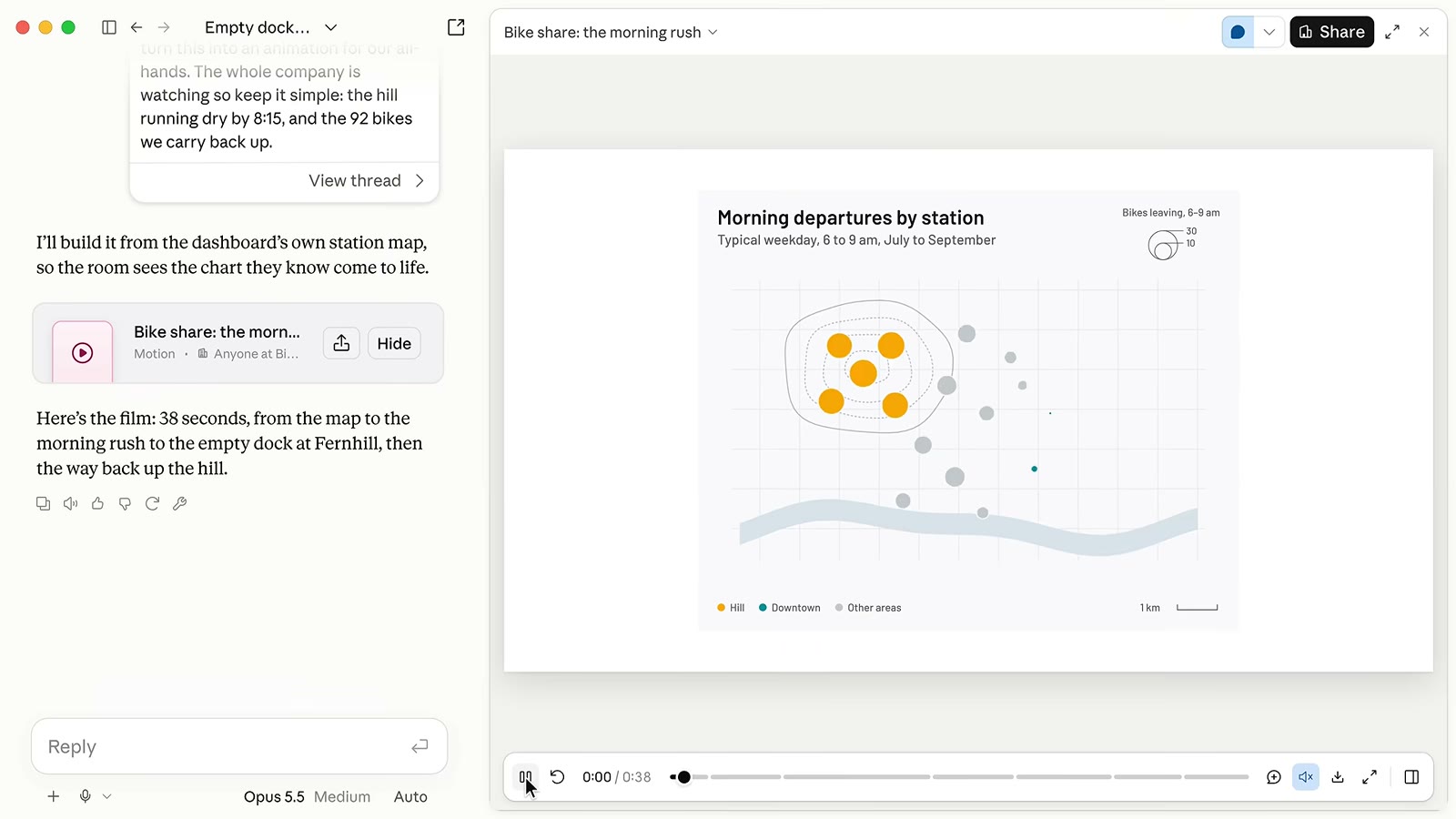
Claude Motion turns content you already have, like a report, a chart or a list of steps, into a short animated video. It's not a video generator: Claude writes the animation as code, so you can change one number or one word and the rest of the video stays exactly as it was. It's been in beta since October 8, 2026, on Team and Enterprise plans.
What it is
| What you get | A short animation that plays like a video, saved in your Artifacts tab |
| How it's made | Claude writes code that animates your text, charts, shapes and images |
| What it doesn't do | Generate footage or people. There's no video model behind it |
| Export | MP4, or a share link |
| Status | Beta, Team and Enterprise only |
Why code matters: with a video generator, fixing a typo means regenerating the whole clip. With Motion, "change the Q3 number to 18%" changes that number and nothing else.
What it's good for
Anything you'd normally show as a static slide but would land better moving:
- All-hands explainers: "Turn this quarterly report into a 30-second explainer for our all-hands."
- Animated charts: "Add motion to this revenue chart for the board deck."
- Comparisons: "Animate how our pricing plans compare, for the sales kickoff."
- Walkthroughs: "Make a short walkthrough of the setup steps for new customers."
The common thread: you already have the content. Motion makes it move.
How to use it
- Start it. Type
/motionin the message box, pick Output → Motion, or open a Motion template from the Artifacts tab. - Brief it. Say who's watching, where it will play and roughly how long it should be. Attach the report, data or images so it's built from your real content.
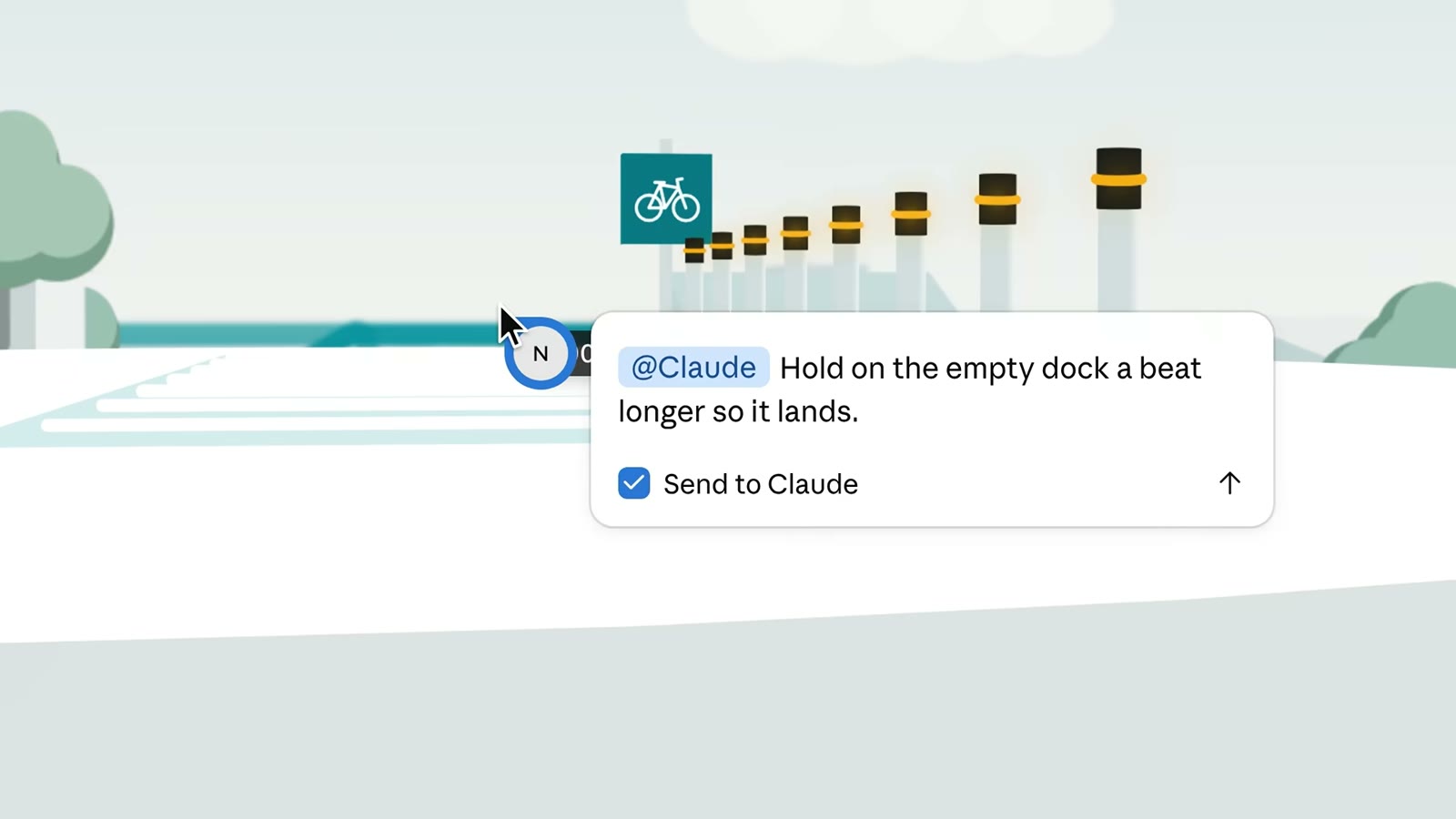
- Edit it. Ask in chat ("Slow down the second scene"), adjust it yourself in the editor, or click one spot in the video and leave a comment with Send to Claude ticked.
- Export or share. Export → MP4 downloads it. Animations start private; Share sends a link.
A brief that works:
Make a 30-second animation explaining [topic] for [audience].
It plays on [all-hands screen / board deck / onboarding email].
The one thing they should remember: [one sentence].
Use the attached [report / data / images]. No placeholder numbers.
3-5 scenes, one idea each, in [brand colors / the style of the attached slide].
Want to go further? Open the finished animation in Adobe, Descript, HeyGen, Higgsfield, invideo, Luma AI or Runway. Canva and Captions are listed as coming soon.
Who can use it
| Plan | Claude Motion |
|---|---|
| Free, Pro, Max, Ultra | Not included |
| Team | Included, on by default |
| Enterprise | Included, off until an owner turns it on in Organization settings → Artifacts |
No extra fee. It counts toward your plan's usage limits, and longer or more complex animations use more than a normal message.
Licensing
Team and Enterprise run under Anthropic's Commercial Terms. In short:
- You own the video. Your organization owns the outputs.
- It isn't used for training. Anthropic can't train models on your content.
- Anthropic covers IP claims on its part. If someone claims the output of your paid use infringes their IP, Anthropic defends you. That doesn't extend to what you add, like your logo, photos or fonts, or to edits you make afterwards in another tool.
- Healthcare orgs: Motion can be turned on for HIPAA-ready plans, but it isn't covered by the Business Associate Agreement. Keep patient data out of it.
Limits worth knowing
- It's beta. Expect changes.
- Short by design. Anthropic's examples run 30 to 40 seconds. No maximum length is published.
- No sound mentioned. Neither the announcement nor the help article covers voiceover or music. Add audio in an editor after export.
- No footage or people. For realistic shots, generate them in a video tool and attach them as images.
- Sharing outside your org only works if your admin allows it.
Not on Team or Enterprise? You can build code-based animations in Claude Code with tools like HyperFrames or Remotion. The Video Editing with Claude Code series covers them.
Start here
- Check you're on Team, or ask your Enterprise owner to turn Motion on
- Pick one report or chart you'd normally present as a static slide
- Brief it with the template above and attach the real numbers
- Fix one detail with a comment and check nothing else changed
- Export the MP4 and add sound if it needs it
Go deeper: Get started with Claude Motion · Claude Design, From First Prompt to Working Code · What Is Claude Duet, and Is It Worth It? · Claude, End to End